All parameters have the following required fields:
{
    "id": String,
    "hint": String,
    "type": String
    ...
}
id— string field, that uniquely specifies this parameter. Has to be unique across all parameters in the same servicehint— string, that helps user to understand what this parameter is used for. Try to keep it simple and concisetype— uppercase, case-sensitive string, that describes type of this parameter
Now that you know requirements, we will start the overview of these 12 parameters
1. Date
Let user select specific date using native android UI
{
    "id": "my-date",
    "hint": "This field selects date",
    "type": "DATE"
}
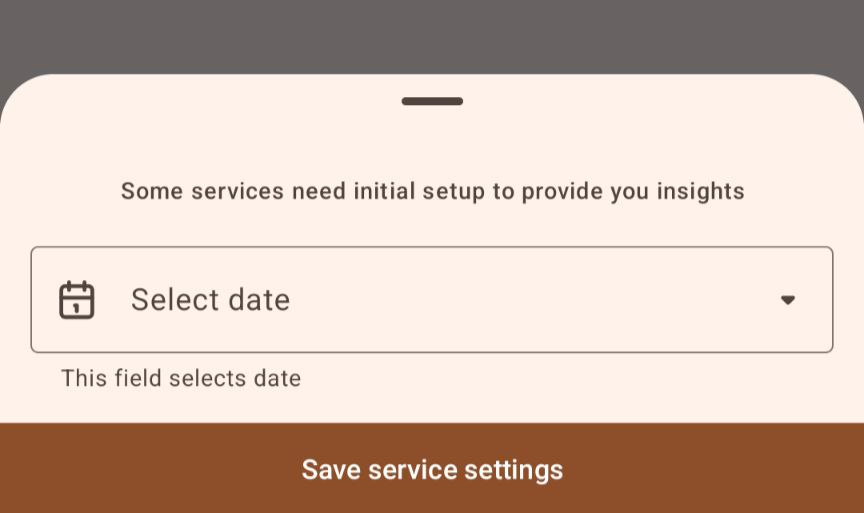
In response the app sends back to your server this:
{
    "type": "DATE",
    "id": "my-date",
    "date": "YYYY-MM-DD"
}
- “YYYY-MM-DD” — is just a format of an incoming string. E.g “2024-03-25”
2. Time
Let user select specific time using native android UI
{
    "id": "my-time",
    "hint": "This field selects time",
    "type": "TIME"
}
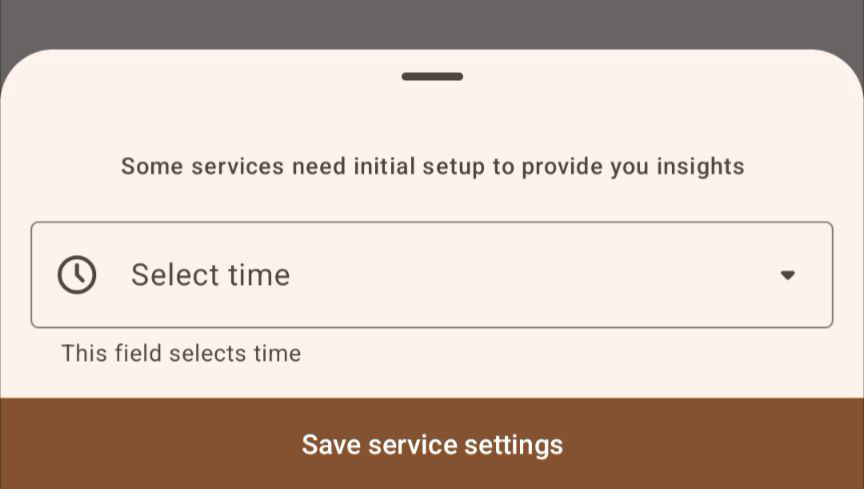
In response the app sends back to your server this:
{
    "id": "my-time",
    "type": "TIME",
    "time": "HH:MM:00"
}
So in return you would expect to receive a time field like 09:41:00
3. Single Choice
Let user choose a single option out of multiple provided by you.
{
    "id": "my-single-choice",
    "hint": "Choose a single option",
    "type": "SINGLECHOICE",
    "options": [
        {"id": "option-1", "title": "Option 1"},
        {"id": "option-2", "title": "Option 2"},
        {"id": "option-3", "title": "Option 3"}
    ]
}
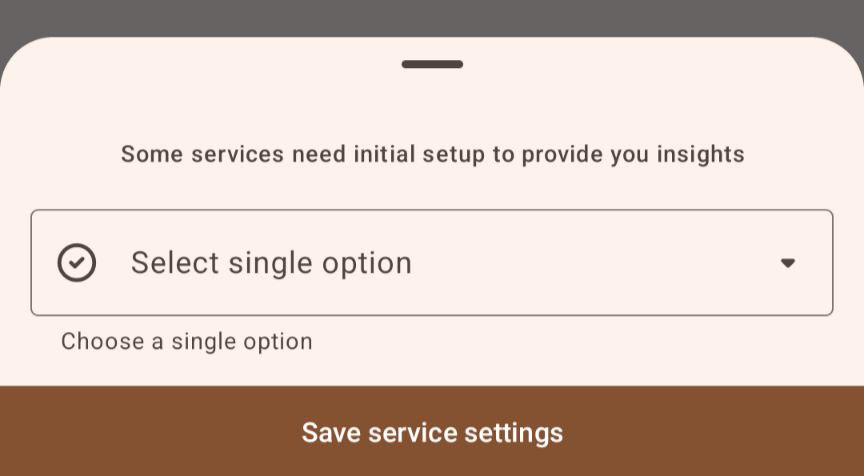
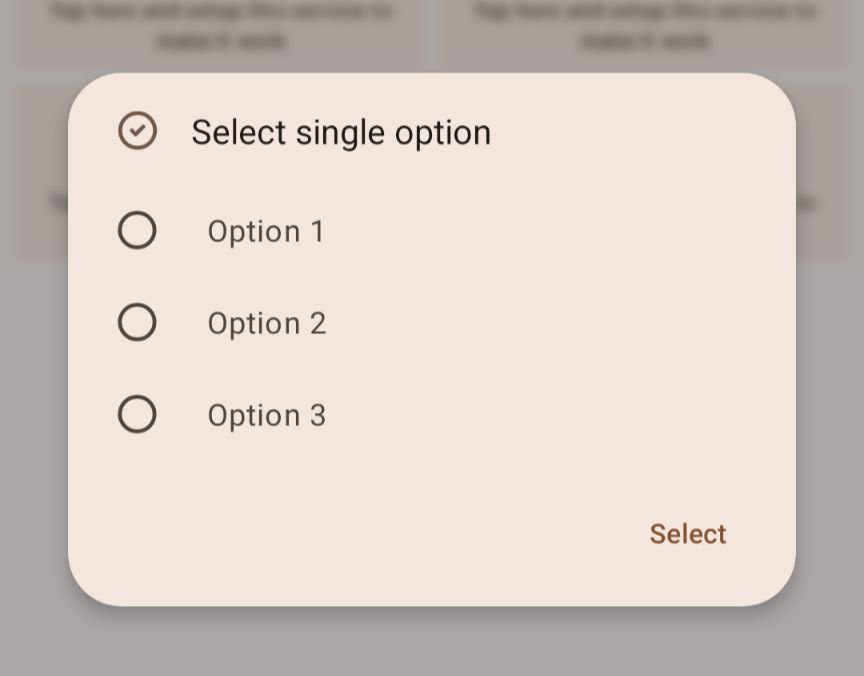
Response from the app:
{
    "id": "my-single-choice",
    "type": "SINGLECHOICE",
    "option_id": String
}
option_idfield contains 1 of the ids (that user selected) from the list of options you provided
4. Multiple Choice
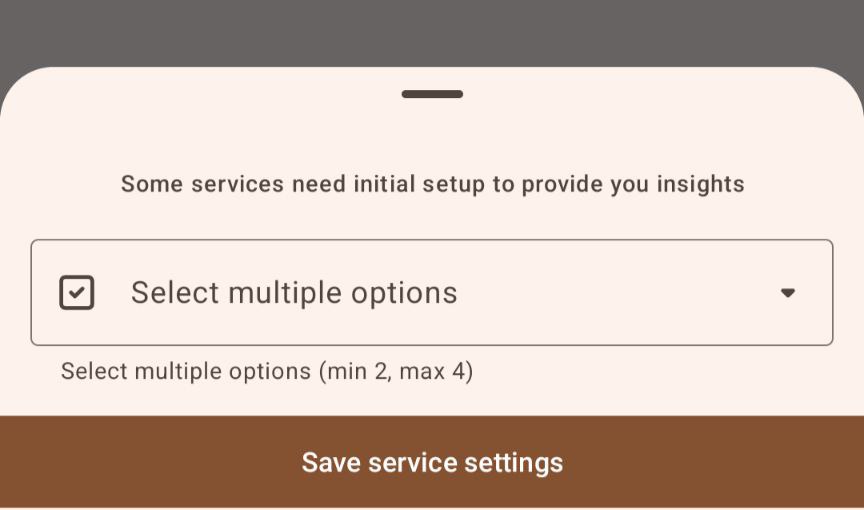
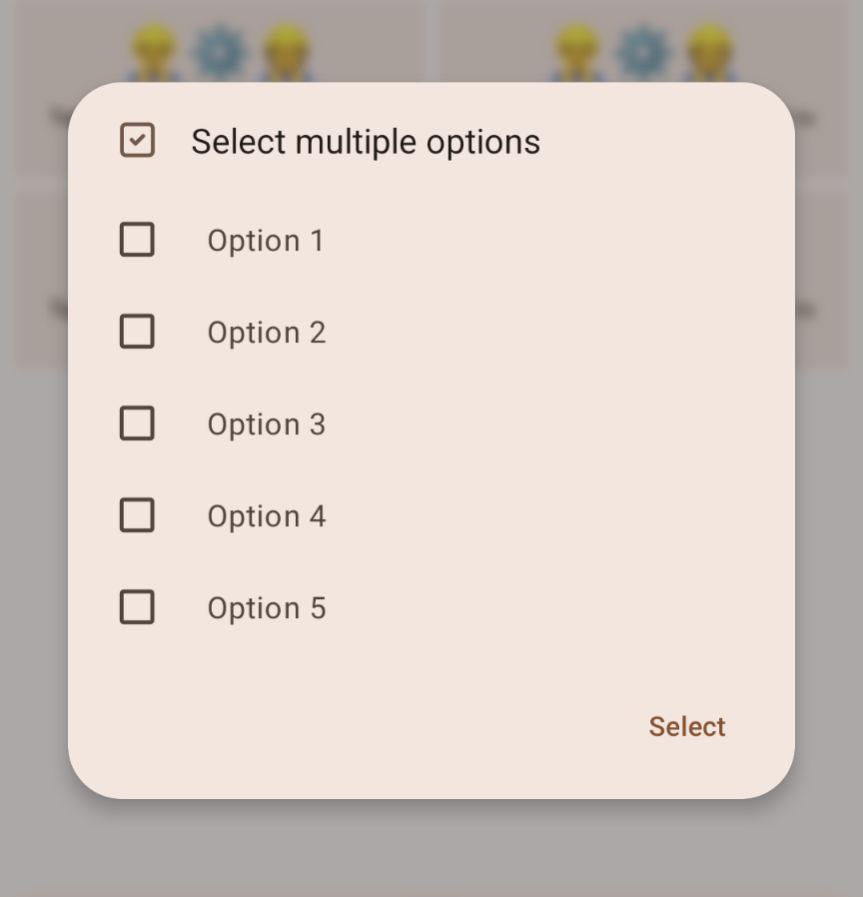
Let the user select multiple options from the provided list. The user must select a minimum of range_min and a maximum of range_max options.
{
    "id": "my-multiple-choice",
    "hint": "Select multiple options (min 2, max 4)",
    "type": "MULTIPLECHOICE",
    "range_min": 2,
    "range_max": 4,
    "options": [
        {"id": "option-1", "title": "Option 1"},
        {"id": "option-2", "title": "Option 2"},
        {"id": "option-3", "title": "Option 3"},
        {"id": "option-4", "title": "Option 4"},
        {"id": "option-5", "title": "Option 5"}
    ]
}
In response, the app sends back to your server this:
{
    "id": "my-multiple-choice",
    "type": "MULTIPLECHOICE",
    "option_ids": List<String>
}
"option_ids"— an array of selected option IDs. For example,["option-1", "option-3", "option-4"]indicates that the user selected “Option 1”, “Option 3”, and “Option 4”.
5. Checkbox
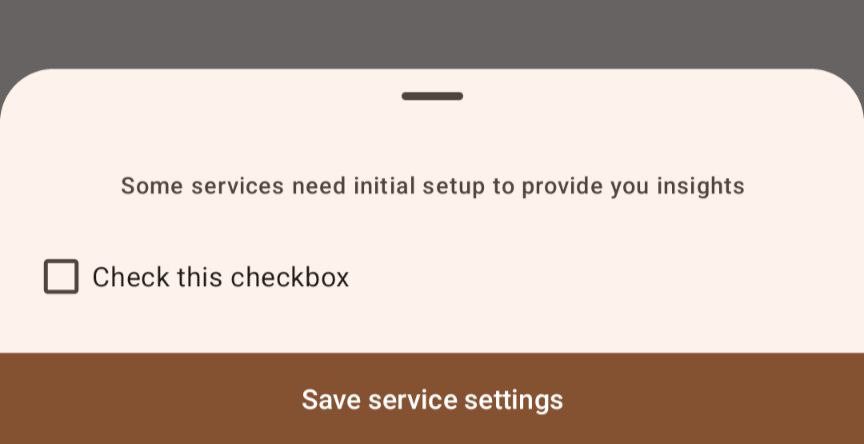
Let the user check or uncheck a checkbox.
{
    "id": "my-checkbox",
    "hint": "Check this checkbox",
    "type": "CHECKBOX"
}
In response, the app sends back to your server this:
{
    "id": "my-checkbox",
    "type": "CHECKBOX",
    "checked": Boolean
}
"checked"— a boolean value indicating whether the checkbox is checkedtrueor uncheckedfalse. For example,"checked": truemeans the checkbox is checked
6. Number
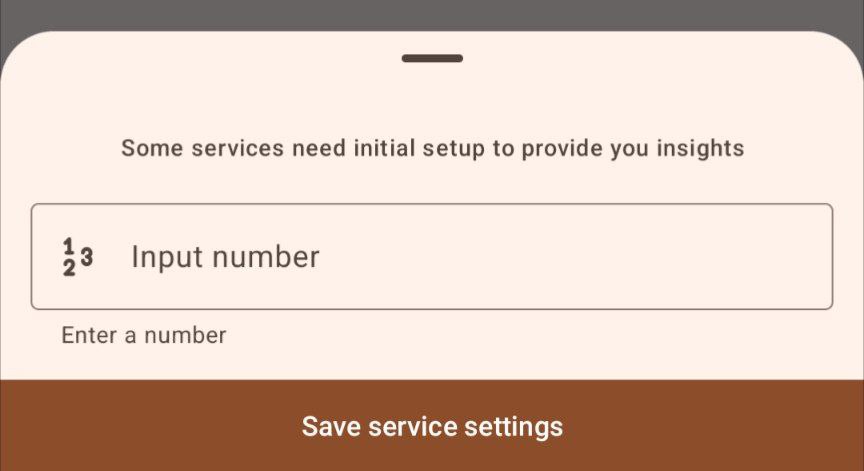
Let the user enter a numeric value
{
    "id": "my-number",
    "hint": "Enter a number",
    "type": "NUMBER"
}
In response, the app sends back to your server this:
{
    "id": "my-number",
    "type": "NUMBER",
    "number": Double
}
"number"— a numeric value of typeDoubleentered by the user
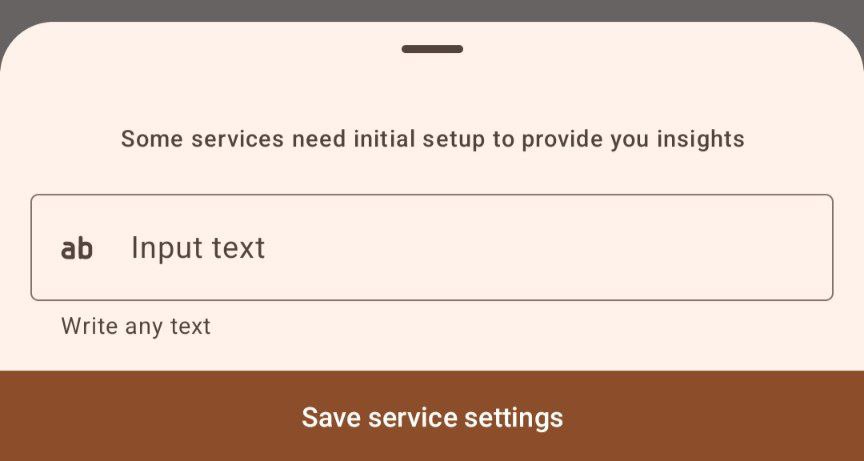
7. Text
Let the user enter a text string.
{
    "id": "my-text",
    "hint": "Write any text",
    "type": "TEXT"
}
In response, the app sends back to your server this:
{
    "id": "my-text",
    "type": "TEXT",
    "text": String
}
"text"— a string of text entered by the user
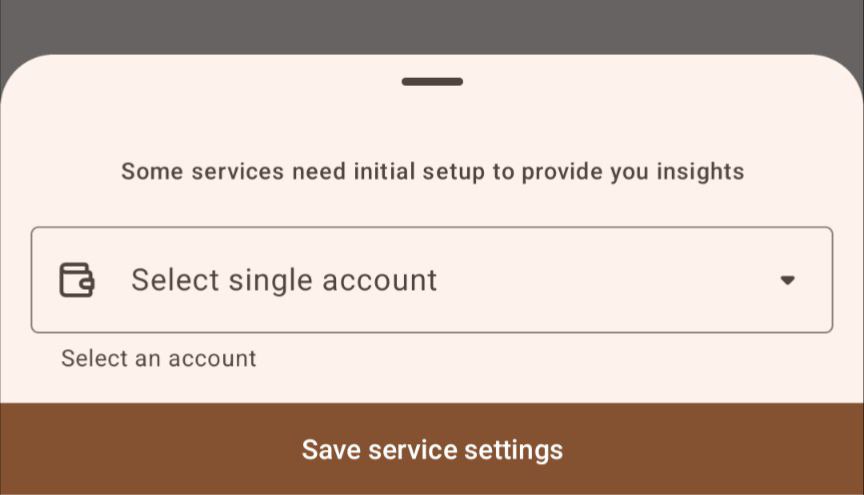
8. Account
Let the user select an account.
{
    "id": "my-account",
    "hint": "Select an account",
    "type": "ACCOUNT"
}
In response, the app sends back to your server this:
{
    "id": "my-account",
    "type": "ACCOUNT",
    "account_id": Long
}
"account_id"— numeric id of the selected account
9. Category
Let the user select a category
{
    "id": "my-category",
    "hint": "Select category",
    "type": "CATEGORY"
}

In response, the app sends back to your server this:
{
    "id": "my-category",
    "type": "CATEGORY",
    "category_id": Long
}
"category_id"— numeric id of the selected category
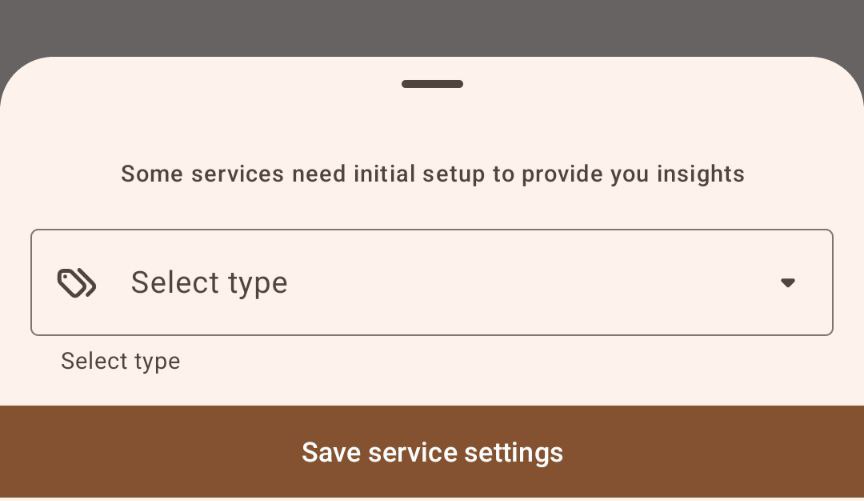
10. Type
Let the user select a type.
{
    "id": "my-type",
    "hint": "Select type",
    "type": "TYPE"
}
In response, the app sends back to your server this:
{
    "id": "my-type",
    "type": "TYPE",
    "type_id": Long
}
"type_id"— numeric id of the selected type
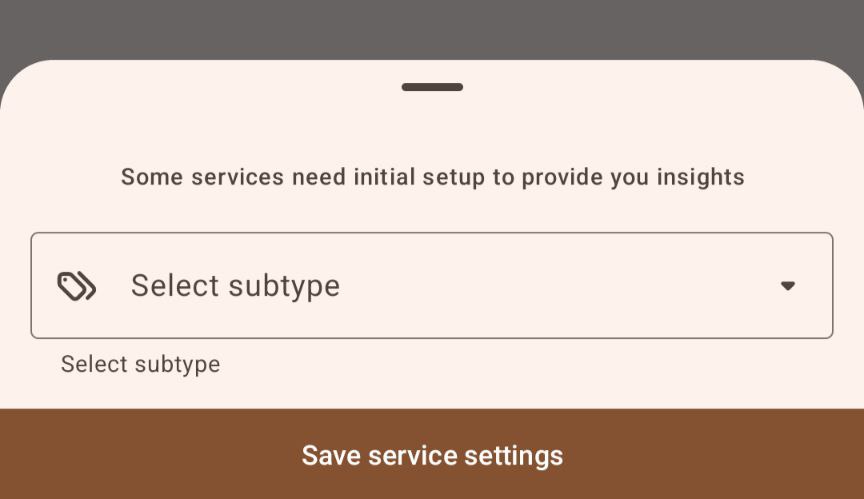
11. Subtype
Let the user select a subtype.
{
    "id": "my-subtype",
    "hint": "Select subtype",
    "type": "SUBTYPE"
}
In response, the app sends back to your server this:
{
    "id": "my-subtype",
    "type": "SUBTYPE",
    "subtype_id": Long
}
"subtype_id"— numeric id of the selected subtype
12. Deep Specialisation
Let the user select a category, type, and subtype in a hierarchy. In simple terms, if user chosed “Category 1”, the app would suggest to choose types only from this category. The same goes for the type and subtype
{
    "id": "my-deepspec",
    "hint": "Select a Category, Type and Subtype of any level",
    "type": "DEEPSPEC"
}
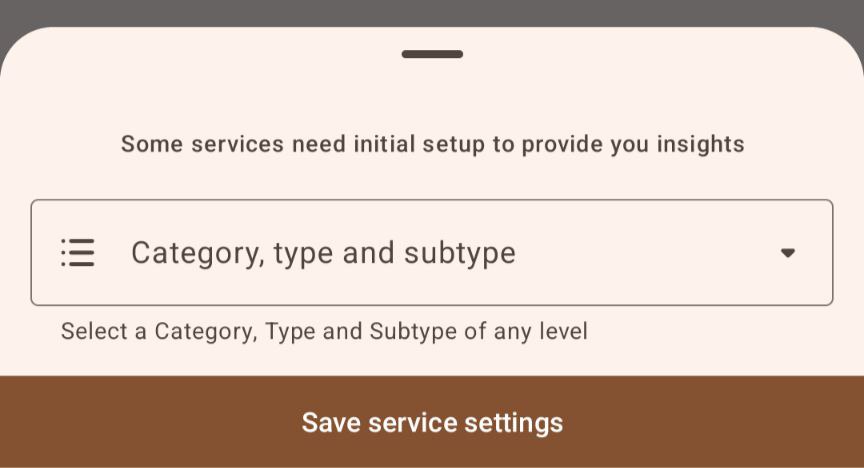
In response, the app sends back to your server this:
{
    "id": "my-deepspec",
    "type": "DEEPSPEC",
    "category_id": Long,
    "type_id": Long?,
    "subtype_id": Long?
}
"category_id"— a numeric id of selected category"type_id"— an optional (=nullable) numeric id of selected type"subtype_id"— an optional (=nullable) numeric id of selected subtype